What Is Upselling? 5 Examples for Your Shopify Store
When a shopper adds a 50 mL moisturizer to their cart, you have a chance to show them what they’d get from the larger jar. That’s upselling. You offer an upgrade to a purchase the customer is already considering or has made. The 125 mL jar may suit someone who uses the moisturizer every day. The smaller one may be exactly right for someone trying it for the first time.
The same offer can feel helpful in the cart and distracting at checkout. Here’s how you can tell the difference, choose where an offer belongs on Shopify, and see whether it earns its place.
What Is Upselling in Ecommerce?
In ecommerce, an upsell gives your customer a higher-value option related to the product they already want. That might be a larger size, a premium model, or a pack with more units. The customer needs a clear reason to pay the difference. A label like “Best Value” can draw attention, but the size, price, or extra features give them something to judge.
You can see how that works on Kiehl’s Ultra Facial Cream page. The 50 mL and 125 mL jars have their own price and price per milliliter. The larger jar costs more upfront and less per milliliter, which gives a regular buyer a reason to consider it.
An upgrade can also change how a customer buys. A subscription may cost less on the first purchase and offer scheduled refills in exchange for a recurring commitment. Your customer needs to see the billing schedule and the terms as clearly as the initial price.
Upselling vs. Cross-Selling: What Is the Difference?
The easiest way to tell them apart is to look at what happens to the original item. With an upsell, the shopper chooses an upgraded version or a larger quantity of the same product. With a cross-sell, they keep their original choice and add something that goes with it. Both can raise the order value, but each asks the shopper to make a different decision.
| Offer | What changes | What the shopper sees |
|---|---|---|
| Upsell | The original choice is upgraded. | “Switch from 50 mL to 125 mL.” |
| Cross-sell | A complementary item is added. | “Add the serum that goes with your moisturizer.” |
This distinction helps you write the offer. If you want someone to switch sizes, show what the extra money buys. If you want them to add a serum, explain where it fits in their routine. You’ll also see “upsell offer” used more broadly as an app label, especially for offers after payment. An extra product can still be a cross-sell.
What Upselling Can Do for Your Order Value
An upsell can raise your average order value (AOV) by giving shoppers who are already buying a reason to spend a little more. The buyer gets something they can use, whether that’s a longer supply, a more durable product, or fewer reorders.
Your store might have 100 orders at $40 each. If 15 of those customers take a $12 upgrade and everything else stays the same, you bring in an extra $180 and your AOV moves from $40 to $41.80. You can calculate AOV by dividing revenue by orders over the same period. For a meaningful comparison, your baseline and test should use the same definition of revenue and the same set of eligible orders.
A larger jar may be an easy decision in the cart. At the payment step, the same offer can hold up an order your customer was ready to place.
Where Upsell Offers Fit on Shopify
In this example, your skincare store sells that same 50 mL moisturizer. At each of the five points below, the shopper has a different decision in front of them. You can use that decision to work out whether an offer belongs there at all.
After Add to Cart, the Size Is Still Easy to Change
The shopper has just chosen the 50 mL jar. If your storefront supports a variant swap, a small popup can show the 125 mL jar, the extra cost, and the price per milliliter. “Switch to 125 mL” tells the customer exactly what happens when they accept. “Keep 50 mL” lets them continue with the jar they picked.
Your popup earns its space when it makes the comparison easier. If the larger size is out of stock or the shopper has already added it, there’s no useful choice to present.
A Refill Subscription in the Cart Drawer
The cart gives your customer a moment to review what they’re buying and how soon they might need it again. For a moisturizer that people use regularly, that can be a sensible place to offer a subscription. The customer should be able to see the initial price, the recurring charge, the delivery interval, and how to cancel before they make the switch.
Beekman 1802’s Milk Drops Ceramide Serum page shows what clear subscription terms can look like. It displays the subscription price and explains that orders replenish monthly and customers can cancel. That product-page example gives you a format you can adapt to a cart drawer if your theme and subscription app support it.
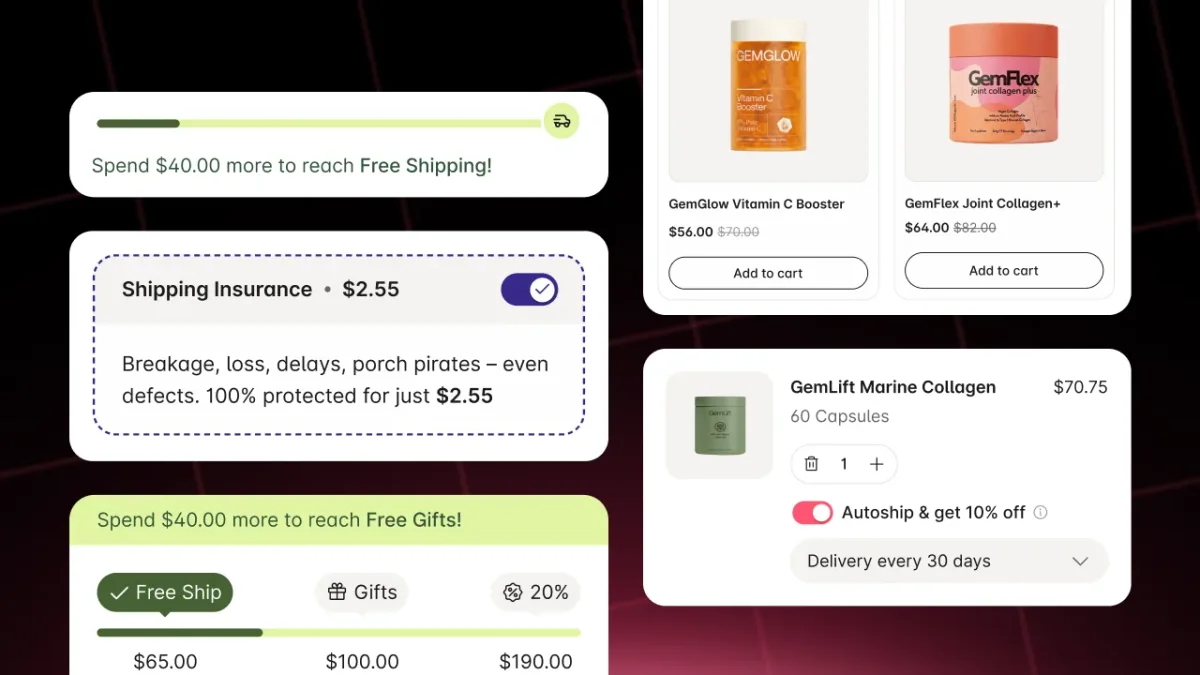
Your cart may already show how close the shopper is to free shipping. That message and a subscription offer give shoppers different reasons to act, so both need room to be understood.
A Small Add-On at Checkout
By checkout, your shopper is confirming shipping and payment. A low-cost spatula that fits the moisturizer jar is a cross-sell they can understand without reopening the product decision. If your app lets them add it in place, the price and the change to the order total should be easy to see. A shopper who already has one in their cart has little reason to see the offer again.
Shopify reserves app customizations on the information, shipping, and payment steps for Shopify Plus. If your plan doesn’t support the block, an earlier cart placement gives you somewhere to try the offer.
After Payment, a Second Unit Can Still Fit the Order
An eligible shopper can see a post-purchase offer after payment and before the Thank You page. For the skincare store, that could be a second jar of the same moisturizer. A customer who wants a backup can see the extra charge and accept it. A customer who wants one jar can decline and continue to confirmation.
This placement depends on the order qualifying. Shopify lets you select one app for post-purchase product offers, and some orders won’t show the offer because of how the shopper paid. Your fulfillment costs matter too. If the extra jar pushes the parcel into a higher shipping tier, the offer needs enough margin to cover the difference.
The guide to post-purchase upsells covers what happens when a shopper accepts an offer and which orders are eligible.
A Refill Recommendation on the Thank You Page
By the time your customer reaches the Thank You page, their immediate concern is whether their order went through. The order details should be easy to find. If a refill pouch makes sense for the jar they bought, a secondary link can send them to the refill’s product page for a future order. That link gives them somewhere to come back to when they need more.
There’s little value in putting the same offer here if they just turned it down. Shopify supports some Thank You page apps on Basic and higher, with availability depending on the app.
How You Can Tell if Your First Upsell Is Working
You can learn more from one offer on a product that sells regularly than from several offers launched at the same time. With one change, it’s easier to compare orders with your baseline.
What Makes a Good First Product?
Your first upsell needs enough orders to give you something to learn from. It also needs a visible upgrade and sufficient stock. A moisturizer that buyers reorder regularly gives you a straightforward example. You can show the larger jar to customers who add the 50 mL size, explain how much more product they’ll get, and show the total price before they decide.
Your costs deserve the same attention as the price difference. The upgrade may sell for $12 more, but the larger jar may also cost more to stock, pack, and ship. If you need a steep discount to make the offer appealing, the extra revenue can shrink quickly once you account for those costs.
Who Should See Your Offer?
The products in the cart or order give you a practical place to start. A shopper who has the small jar might be eligible for a larger-size offer. Someone who already chose the large jar can continue. If your offer depends on a cart subtotal or a particular variant, you can preview both a qualifying cart and a cart that falls outside the rule. On mobile, it’s worth following the accept and decline paths all the way through.
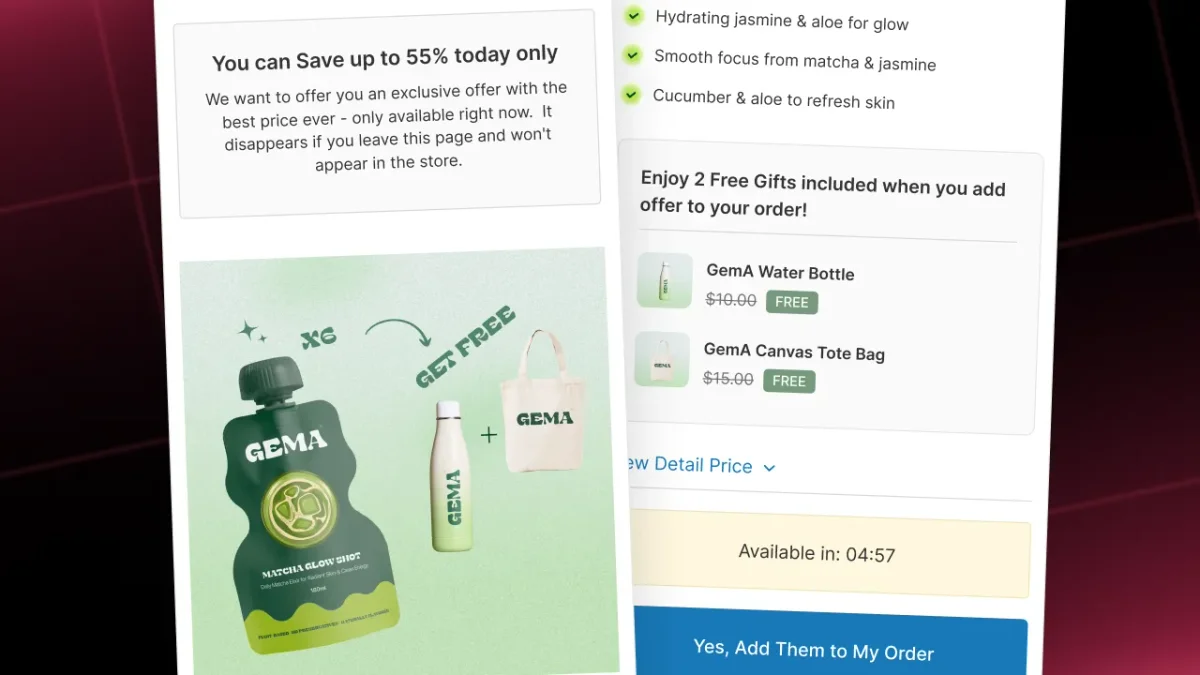
GemUpsells can show offers based on what your customer adds to their cart or already bought. You could use an order condition to show a second-jar offer after payment only when the original moisturizer is in the order. If you’re working on the cart experience, the guide to cart drawer widgets explains what else can sit alongside an offer.
A Higher AOV Can Hide Fewer Orders
Your offer acceptance rate is the number of accepted offers divided by the number of offer views. If it appears before payment, checkout completion helps you spot whether more shoppers are dropping out. Revenue per session gives you a wider view of what the store earned from its traffic.
Two periods with 1,000 sessions each illustrate the difference. In the first, 50 orders at $40 bring in $2,000, or $2.00 per session. In the second, 43 orders at $45 bring in $1,935, or about $1.94 per session. The average order is worth $5 more, yet the store earns less from the same number of sessions. Those numbers illustrate why AOV alone can lead you to the wrong decision. A before-and-after comparison also can’t tell you whether the offer caused the drop if traffic quality or promotions changed.
Your final check is what the accepted offer contributes after discounts and additional product, payment, and fulfillment costs. If you can compare similar groups over the same period, you’ll have a better basis for deciding whether the offer should stay.
Your First Upsell Can Be a Small Test
If you can explain the benefit of an upgrade in one sentence, you can focus on where your shopper has enough time to weigh it. A size change is easier to consider in the cart. An extra unit may fit after payment if the order is eligible.
One relevant offer gives you a baseline. When you know how customers respond and what the offer contributes, you’ll have a reason to keep it, adjust it, or try a different placement.
Frequently Asked Questions
Do you need a discount to upsell?
You don’t need a discount. Your customer may pay more for a larger size, an extra feature, or a longer supply if the benefit is clear. If you try a discount, you can check what the upgrade contributes after the discount and whether the deal can stack with an existing promotion. A small lift in acceptance may be worth little if the offer leaves very little margin.
How many upsell offers should you show?
One offer at one placement is a useful starting point. It gives you a chance to see how shoppers respond and whether the rest of the buying flow still works. Once you have a baseline, you can judge whether a second offer serves a different need or repeats a decision the customer has already made.
When does a bundle count as an upsell?
A bundle can be an upsell when it replaces the shopper’s original choice with a higher-priced package. A skincare routine kit that includes the moisturizer can work that way. If the shopper keeps the moisturizer and adds a serum as a separate item, that’s a cross-sell.